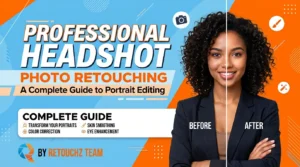

Learn everything about post-processing photography—its importance, workflow, effects, tools, and mistakes to avoid. A complete professional guide for photographers.
Post-Processing Photography: Importance, Workflow, and Common Mistakes to Avoid
In the world of professional photography, capturing an image is only the first half of the creative journey. The second—and equally important—phase begins once the shutter clicks: post-processing photography. It’s the process that transforms a good photo into a great one, elevating it to meet professional, artistic, or commercial standards.
For professional photographers, mastering post-processing is essential. It allows you to express creativity, correct imperfections, and ensure that your work stands out in a visually competitive world. Whether you’re shooting portraits, fashion, products, or landscapes, understanding how to enhance your images after capture is key to building a distinctive photographic identity.
This guide explains everything you need to know about post-processing photography—its importance, workflow, tools, effects, and the most common mistakes to avoid.
What Is Post-Processing in Photography?
Post-processing photography refers to the techniques used to enhance, correct, and finalize images after they are captured. This includes adjustments to lighting, color, contrast, sharpness, and composition. Professional editors usually use tools like Photoshop, Lightroom, Capture One, or DxO PhotoLab to enhance and refine images.
While many use “photo editing” and “post-processing” interchangeably, there’s a subtle difference. Photo editing usually refers to basic corrections such as exposure and cropping, while post-processing encompasses a broader and more technical range of enhancements including retouching, color grading, and creative compositing.
Key Post-Processing Tasks
- Color correction and white balance adjustment
- Exposure and contrast refinement
- Skin and blemish retouching
- Background cleaning or replacement
- Sharpening and noise reduction
- Cropping and straightening
- File resizing and exporting
In short, post-processing is not about fixing bad photos—it’s about refining good ones and aligning them with your creative intent.
Why Post-Processing Is Important for Professional Photographers
Post-processing is more than a technical step—it’s a creative and professional necessity. It ensures your photos reflect your artistic vision and meet client expectations.
Here’s why every professional photographer should value post-processing:
1. Enhances Image Quality
Post-processing brings out the best version of your photos. By adjusting exposure, tone, and color, you can create a balanced, polished image that captures attention. This refinement improves clarity and gives your work a professional edge.
2. Strengthens Your Artistic Style
Every photographer has a visual signature. Through color grading, contrast, and tone manipulation, post-processing helps establish a consistent style—vital for branding and recognition.
3. Builds Professional Credibility
Clients expect high-quality deliverables. A photo that’s technically perfect but lacks post-production polish can look unfinished. Properly processed photos elevate your professional reputation and attract higher-paying projects.
4. Corrects Technical Limitations
Even the best cameras can’t always handle tricky lighting or color conditions. Post-processing helps bring out details, fix dark or bright spots, improve colors, and correct light problems in photos.
5. Improves Portfolio Presentation
A strong portfolio is your best marketing tool. Professionally processed photos showcase precision, creativity, and skill—qualities that potential clients and agencies look for.
The Post-Processing Workflow
Every professional photographer follows a structured post-processing workflow. The steps may change, but the basic process stays the same.
Here’s a breakdown:
Step 1: Photo Culling
After a shoot, you may end up with hundreds of images. Culling is the process of reviewing, comparing, and selecting the best shots. Check each photo in Adobe Lightroom or Photo Mechanic. Pick the sharp and well-lit ones. Mark any photo that needs color or light fixes.
Pro Tip:
Keep duplicates or variations until your final edit—sometimes a slightly different pose or lighting angle works better after adjustments.
Step 2: Basic Adjustments
This step focuses on fundamental edits that prepare the image for advanced processing:
- Adjust white balance, exposure, and contrast
- Crop and straighten the frame
- Reduce visible noise and apply a subtle level of sharpening to enhance image clarity and detail.
- Correct lens distortion along the outer edges and reduce color fringing around high-contrast areas.
These basic edits give you a good starting point for the rest of the work.
Step 3: Advanced Editing and Retouching
This stage defines the professional quality of your work. It involves:
- Skin retouching: Removing blemishes while preserving natural texture
- Dodge and burn: Balancing light and shadows to add depth
- Color grading: Setting the mood through tones and hues
- Object removal: Cleaning unwanted elements or distractions
For product and fashion photographers, this is also where background removal and shadow creation come in to make subjects pop naturally.
Step 4: Creative Editing
Once technical corrections are done, photographers often add creative effects:
- Stylized color looks (warm, cinematic, vintage)
- Black and white conversions
- Composite creation or artistic overlays
Creative editing defines your style and gives your photos personality. However, it must complement—not overpower—the subject.
Step 5: Exporting and Delivery
Finally, the finished images are exported in the appropriate formats—JPEG, PNG, TIFF, or WebP—depending on the platform or client requirements. Ensure the right resolution, color profile, and compression settings are used to maintain quality without overloading file sizes.
Post-Processing and Brand Impact
Post-processing plays a major role in how your photos—and by extension, your brand—are perceived. Clean, consistent, and well-edited visuals communicate professionalism and reliability.
Increased Visual Appeal = Better Engagement
Studies show that 90% of online buyers consider photo quality the most important factor in making a purchase. Professionally processed photos not only attract attention but also build trust—a critical element for both photographers and clients.
Keep Your Visuals Consistent
A consistent editing style helps clients recognize your work. This consistency across all portfolios, websites, and social media platforms enhances brand identity.
Common Mistakes in Post-Processing Photography
Even experienced photographers can make post-processing errors that affect image quality and credibility.
Let’s look at the most common mistakes and how you can avoid them.
1. Use the Original File for Editing
Editing directly on the raw image file can lead to permanent data loss.
Avoid this: Always create a duplicate or use non-destructive editing software like Lightroom that preserves your original.
2. Over-Editing
Overuse of filters, sharpness, or saturation can make photos look artificial.
Fix: Keep edits subtle and natural—enhance, don’t exaggerate.
3. Poor Cropping or Composition
Improper cropping can cut off key details or disturb balance.
Before cropping, use the rule of thirds or golden ratio to place the subject in a balanced position.
4. Ignoring Color Accuracy
Inconsistent color correction can cause unrealistic skin tones or product hues.
Fix: Use calibrated monitors and maintain color profiles for web or print use.
5. Neglecting File Format and Size
Large uncompressed files can slow websites or fail platform standards.
Fix: Export optimized files (JPG or WebP) while keeping a high-quality master file archived.
Essential Post-Processing Tools
Professional photographers rely on advanced tools to streamline their editing workflow. The most popular options include:
- Adobe Photoshop: The industry standard for retouching, compositing, and creative manipulation.
- Adobe Lightroom: Ideal for batch processing, cataloging, and non-destructive editing.
- Capture One Pro: Known for precise color correction and tethered shooting capabilities.
- DxO PhotoLab: Great for automatic lens and noise correction
- Skylum Luminar Neo: Offers AI-powered enhancement tools for fast results.
These tools evolve constantly, offering AI-assisted features to simplify repetitive tasks and maintain creative precision.
Post-Processing in E-Commerce Photography
For photographers working with e-commerce brands, post-processing is especially vital. Edited images enhance product clarity, highlight textures, and make listings visually compelling.
Key Benefits:
- Improves product visibility and sales conversion rates
- Reduces product returns by accurately showing colors and details
- Strengthens client relationships by maintaining brand consistency
Professional photographers who provide post-processing as part of their service package offer greater value to clients, building trust and repeat business.
Effects of Post-Processing on Visual Storytelling
Post-processing transforms images from simple visuals into stories. Adjusting light, tone, and color directs a viewer’s emotions and focus—turning static photos into expressive narratives.
Whether you’re working on wedding photography, fashion campaigns, or brand shoots, the right post-processing approach ensures each photo communicates mood, emotion, and professionalism.
Post-Processing Tips for Photographers
To achieve consistent, high-quality results, follow these practical post-processing tips:
✅ Shoot in RAW format for maximum control over color, exposure, and detail during editing.
✅ Calibrate your monitor for accurate color grading.
✅ Use layer-based editing for reversible adjustments.
✅ Maintain a consistent editing style across your portfolio.
✅ Save both high-resolution and web-optimized versions.
✅ Learn and use keyboard shortcuts to speed up your workflow.
Final Thoughts
Post-processing photography is more than a technical phase—it’s an extension of your creative expression. It bridges the gap between your camera’s limitations and your artistic vision.
By mastering post-processing, you refine your craft, deliver high-quality results to clients, and stand out in the competitive photography industry. Whether you handle the edits yourself or collaborate with a professional post-processing company, the goal remains the same: to present your images in their best possible light.